

We’ve all been there: the remote suddenly stops responding, even though the batteries look fine. Before you throw it away or buy a replacement, try a few simple tricks that often fix the problem.
What’s usually behind it?
The most common cause isn’t a broken remote but poor contact between the batteries and the metal terminals. Over time the contacts can get dirty or oxidized, or the spring can lose tension, so the battery no longer touches properly.
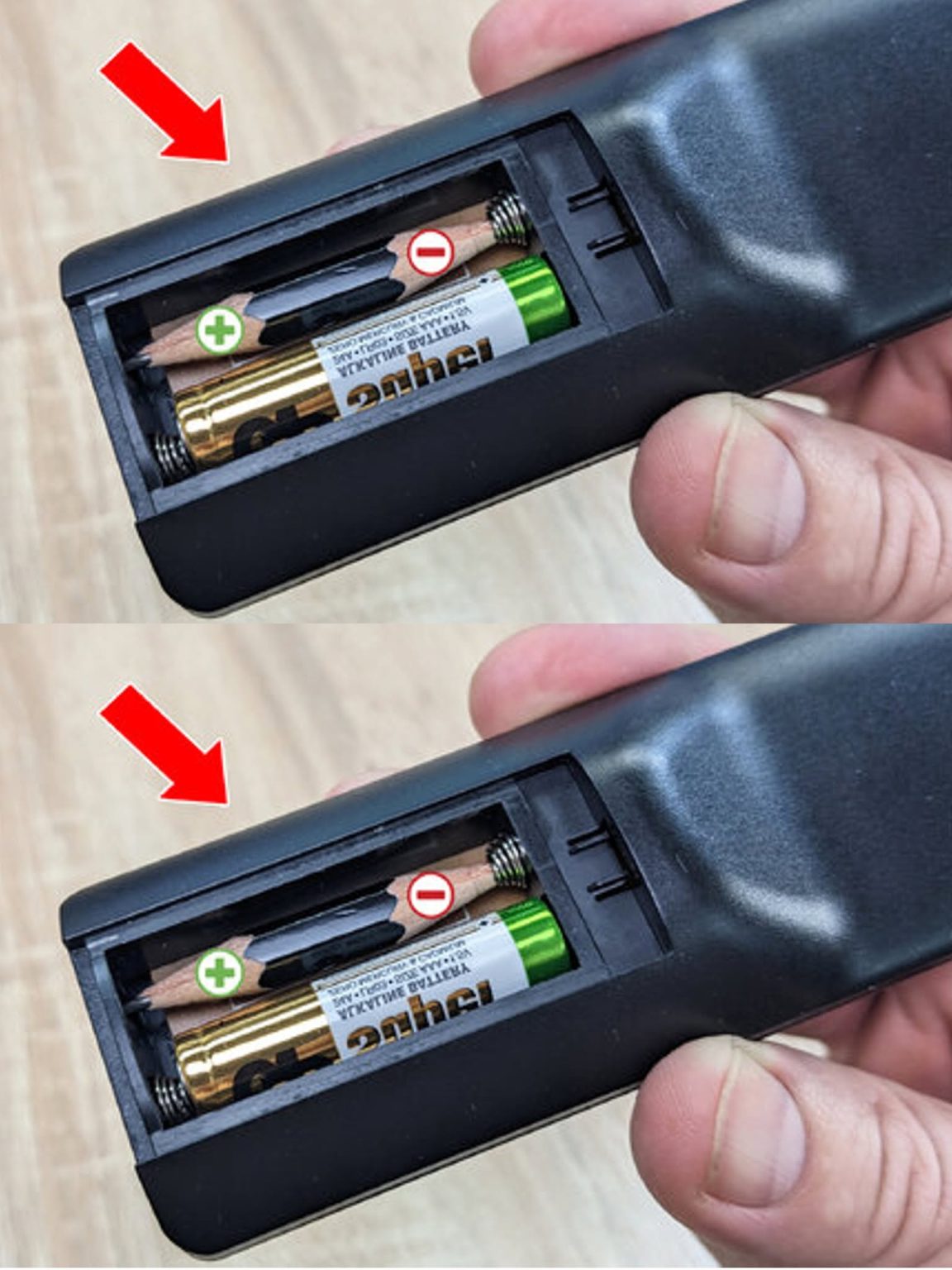
The pencil trick
Pencil graphite conducts electricity, so it can help when the contact is weak or worn:
Remove the batteries from the remote.
Gently rub the tip of a pencil over the battery contacts and the springs to leave a thin layer of graphite.
Put the batteries back in and test the remote.
Keep in mind that this isn’t a miracle fix. It often helps, but if the contacts are badly corroded or the circuit is damaged, it won’t work.
Other simple fixes
Check the battery direction. The + and – marks must match the markings inside the compartment.
Clean the contacts. A cotton swab with a little rubbing alcohol (or vinegar) removes dirt and oxidation.
Replace batteries in pairs. Never mix old and new batteries, or different types.
Check the emitter. Point the remote at your phone’s camera and press a button. If you see a flashing light on the screen, the infrared signal is working.
Clean the buttons. If only some buttons don’t respond, dirt or worn rubber pads may be the cause.
Careful with leaking batteries
If you see white or greenish residue on the contacts, the battery has leaked. Don’t touch it with bare hands. Wear gloves, clean it with a cotton swab dampened with vinegar or lemon juice, and dry it thoroughly before inserting new batteries.
Summary
The pencil trick is a simple, free thing to try, but the real key is clean contacts and fresh, correctly inserted batteries. If the remote still doesn’t work after that, it’s probably time for a new one.